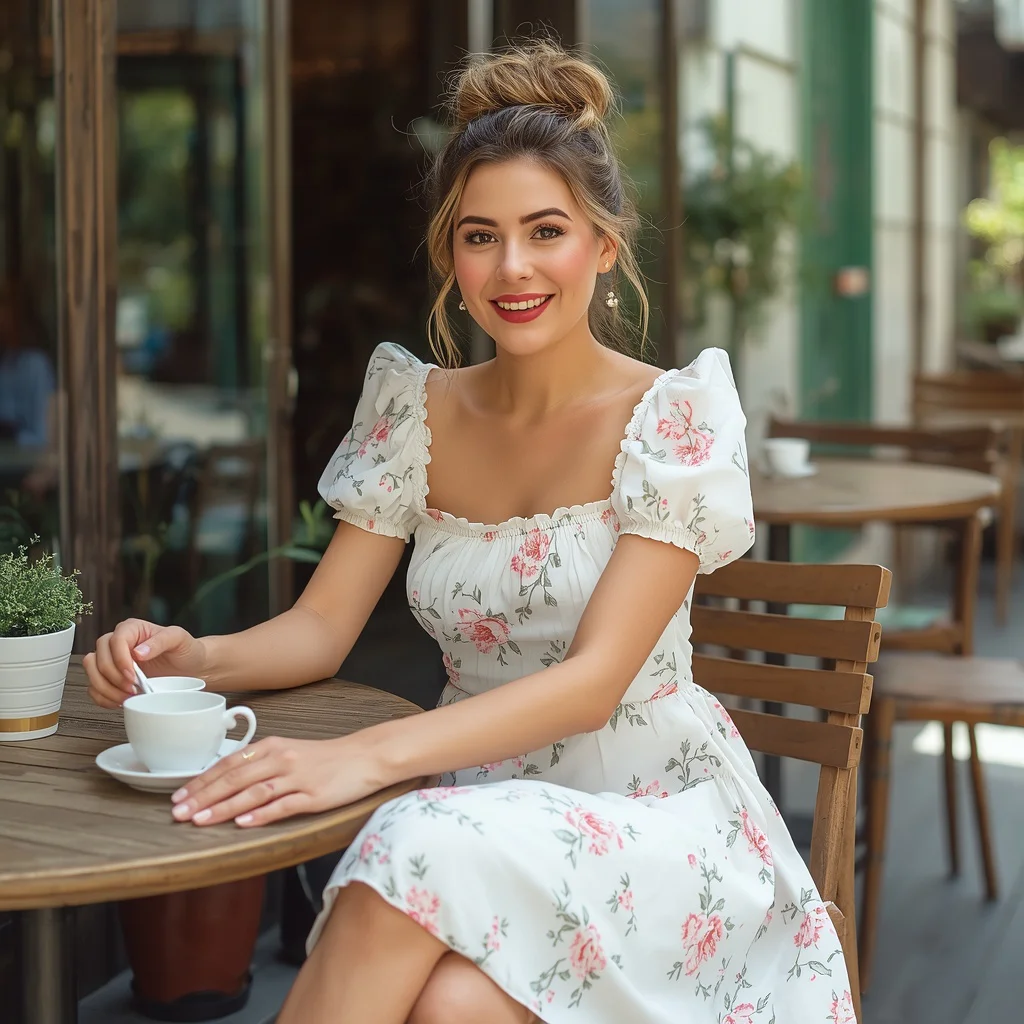
Best 10 AI Prompts for Women’s Dynamic Character Design for Gaming
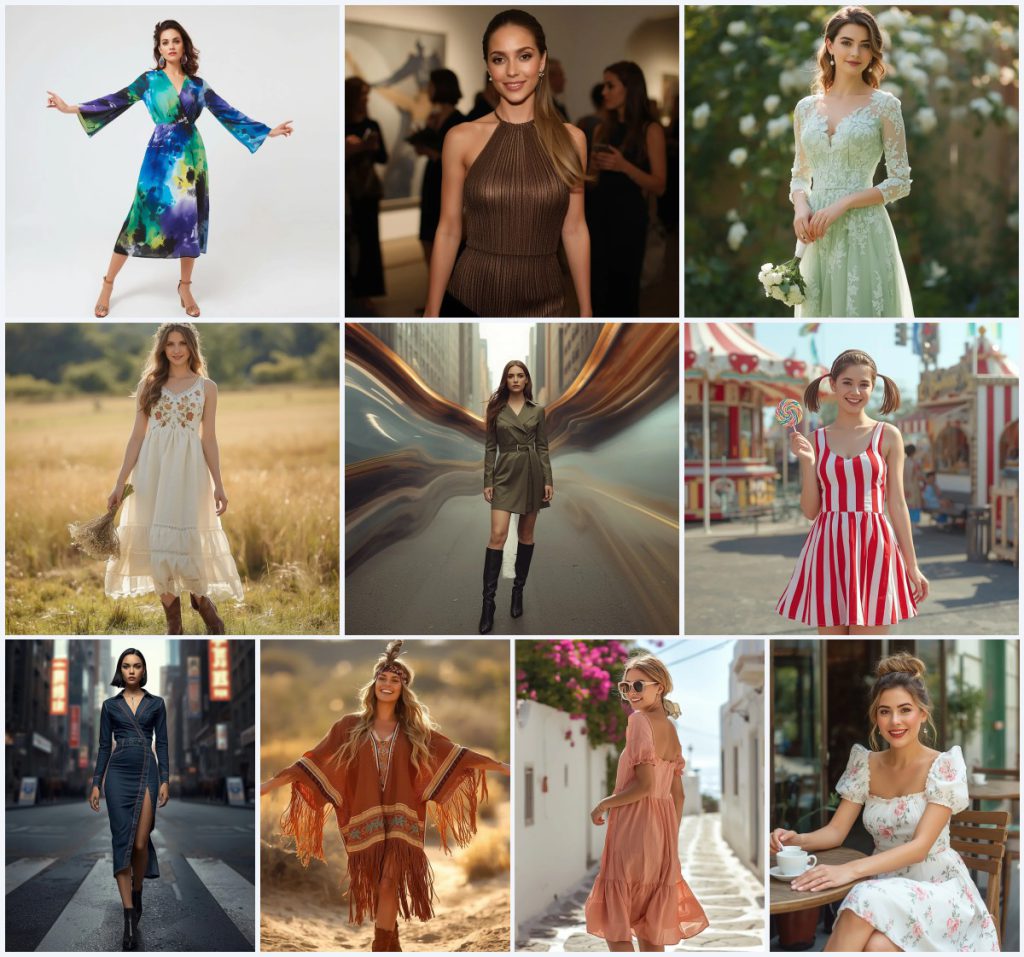
Character design for gaming demands personality, movement, and a strong visual story. This collection of ten AI prompts gives you a ready-to-use wardrobe of dynamic women's portraits, each built around a distinct dress, pose, and environment. Whether you need a vibrant abstract watercolor midi dress for a creative party or a rugged Western fringe poncho dress in a desert landscape, these prompts deliver game-ready aesthetics with rich detail.
All ten prompts in this set share a common scene: a confident woman posing dynamically in a fashion-forward outfit, often against a blurred or stylized background that suggests a larger world. The consistent through-line is expressive body language, sharp focus, and high-resolution output suitable for character sheets, concept art, or in-game portraits. You will find detailed fabric textures, intentional lighting, and clear emotional cues that make each character feel alive and ready for animation.
What this dynamic character design collection is asking for
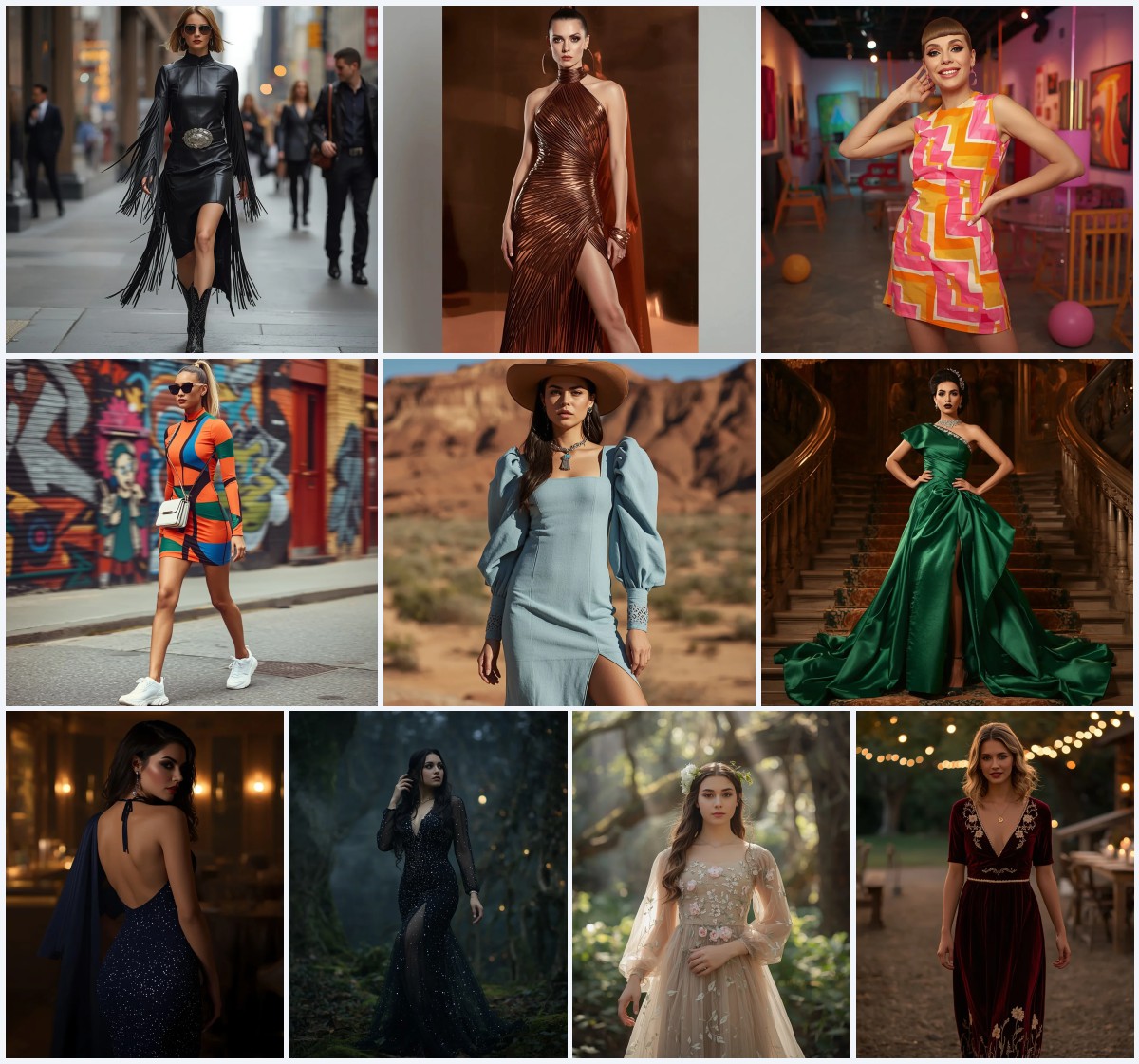
Each prompt in this set describes a full-body or mid-length portrait of a woman wearing a specific Western-style dress, posed with intention in a themed environment. The AI is instructed to render the outfit, hairstyle, accessories, and facial expression with high fidelity, often referencing an uploaded photo for identity consistency. The goal is a polished, game-friendly character that feels both aspirational and believable.
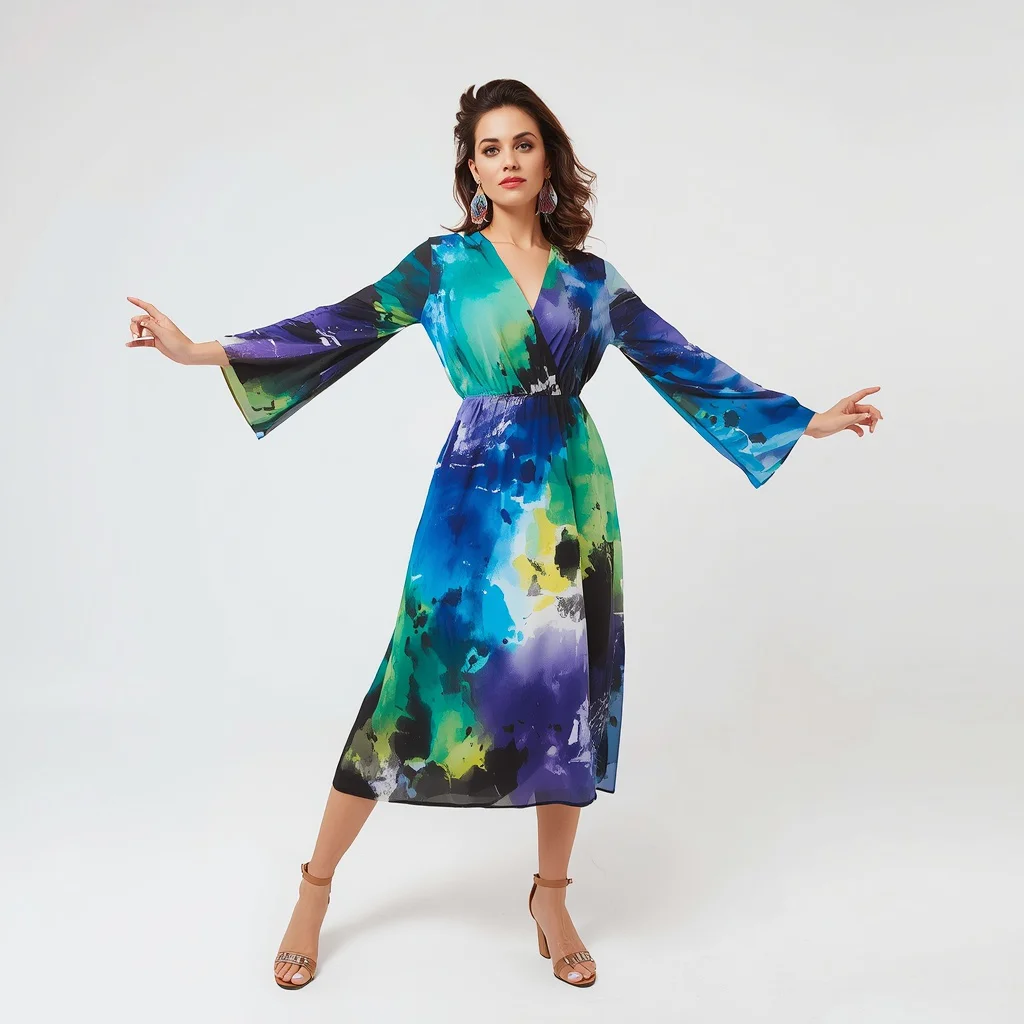
- A vibrant abstract watercolor midi dress with bold blues, greens, and purples
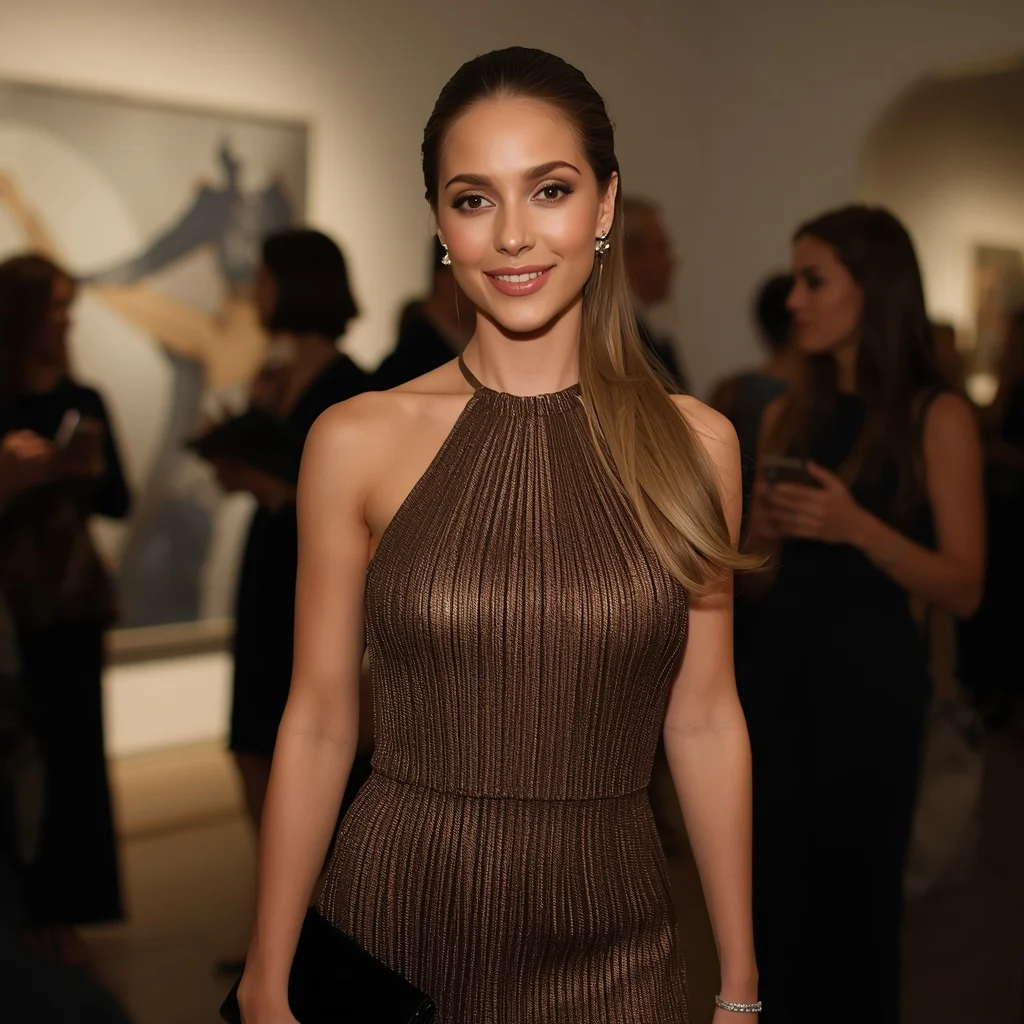
- A shimmering metallic pleated midi dress in bronze with a halter neckline
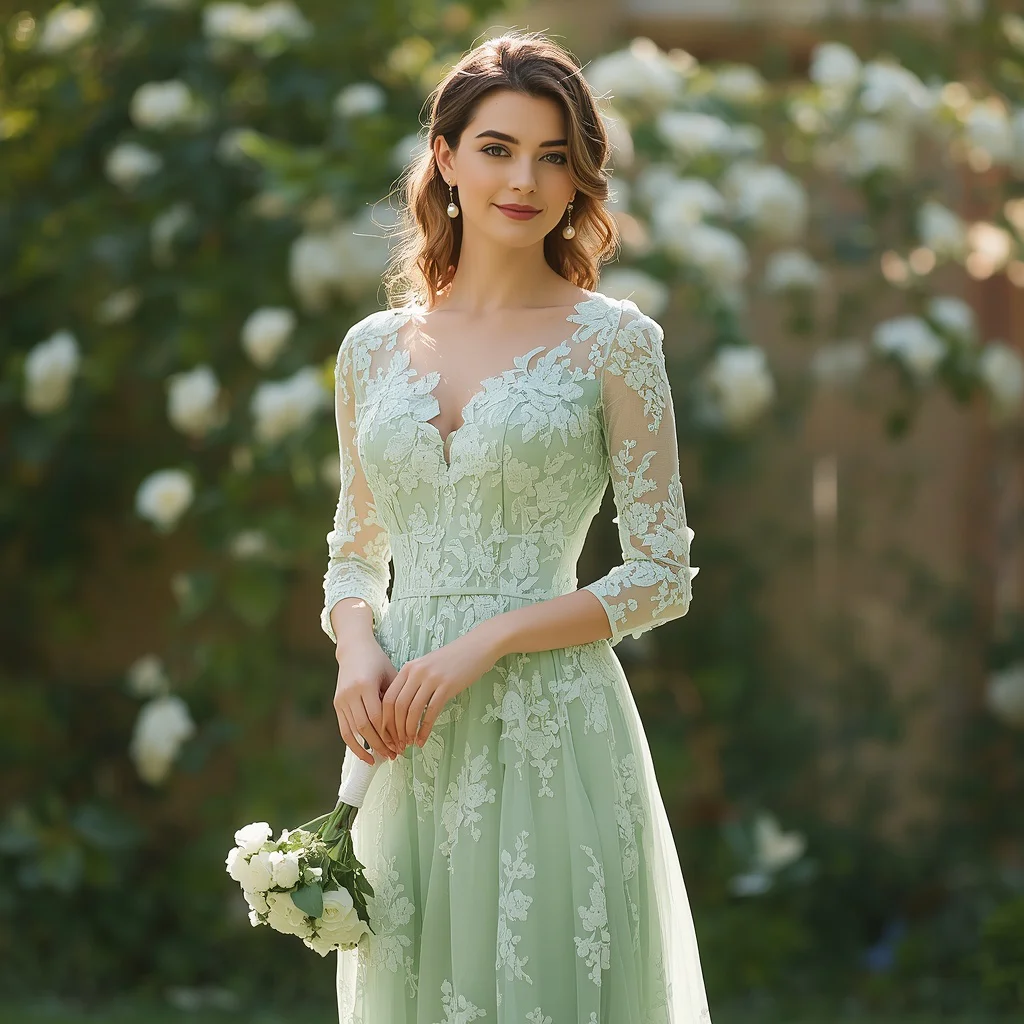
- A mint green lace maxi dress with floral lace and an A-line silhouette
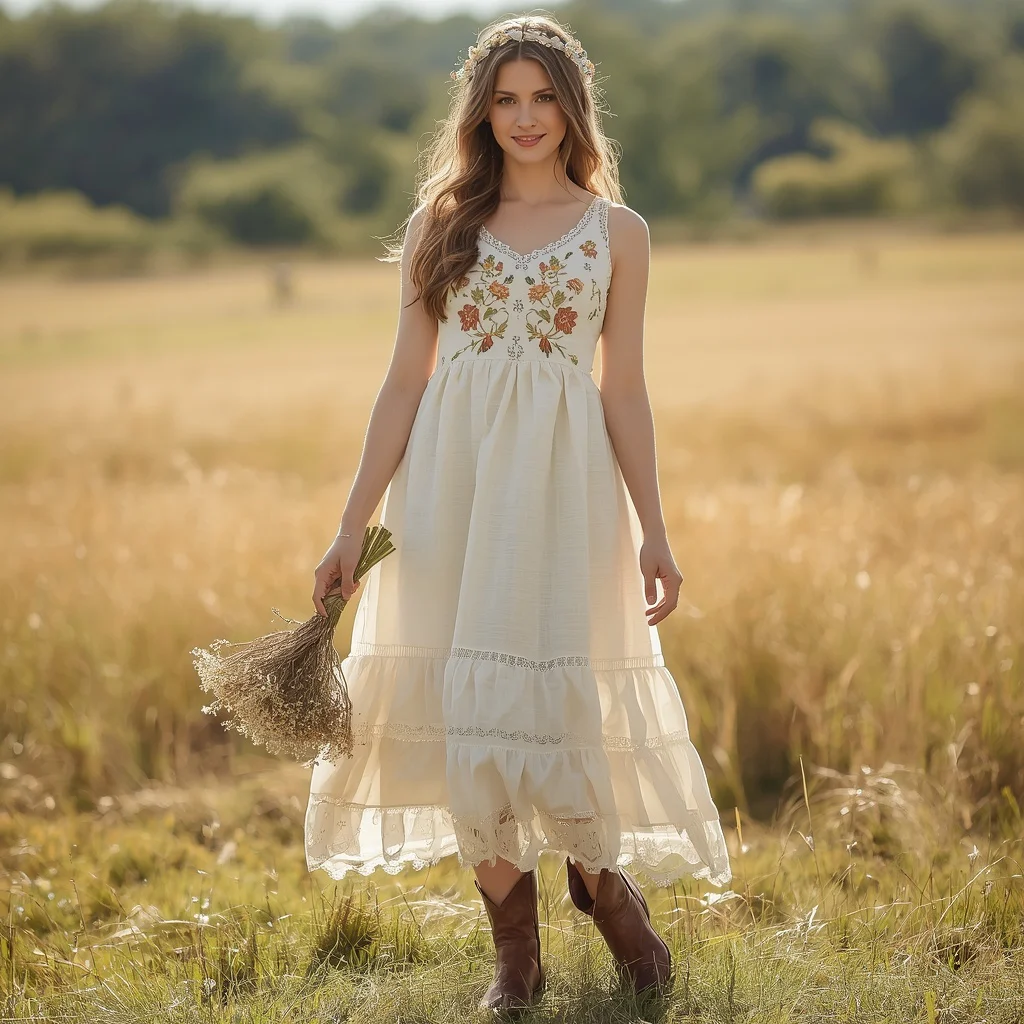
- A Western-themed embroidered A-line dress in warm ivory with floral embroidery
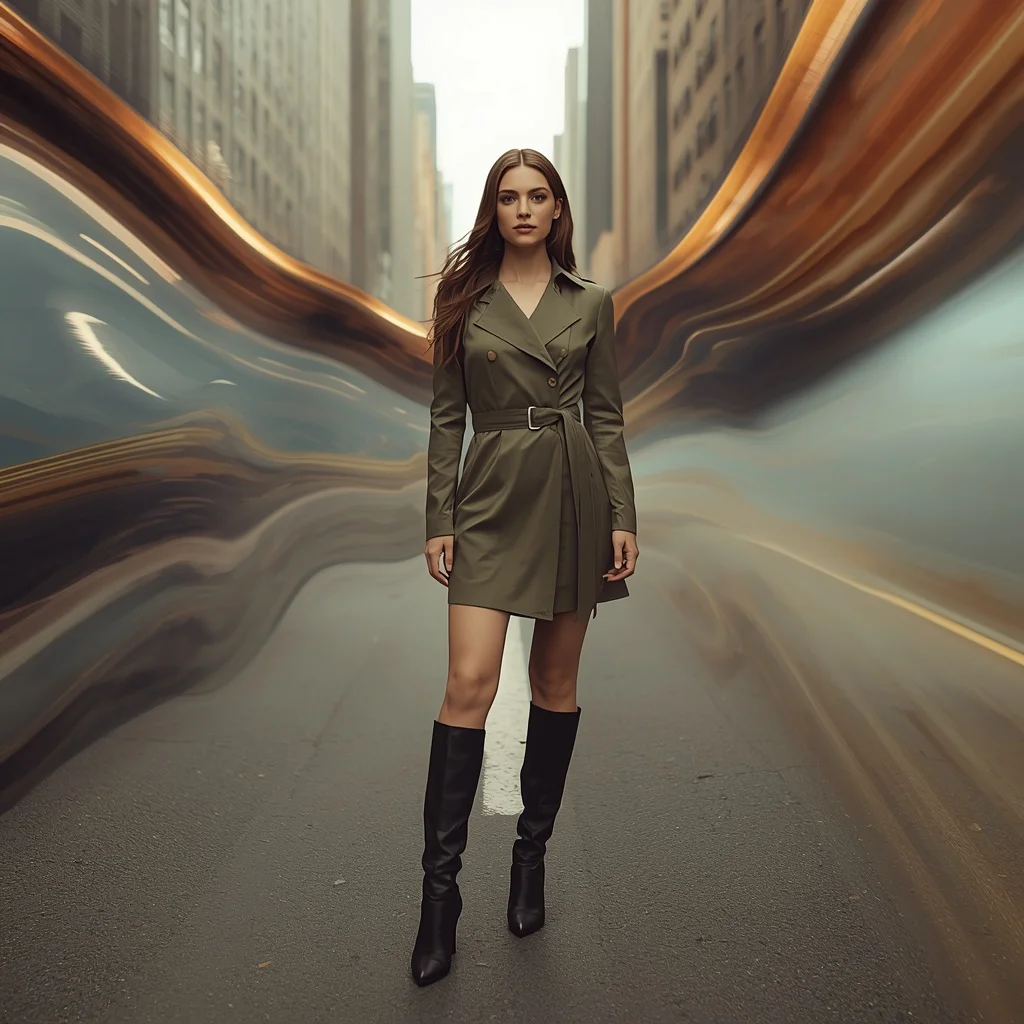
- A chic, belted trench dress in muted olive green paired with knee-high boots
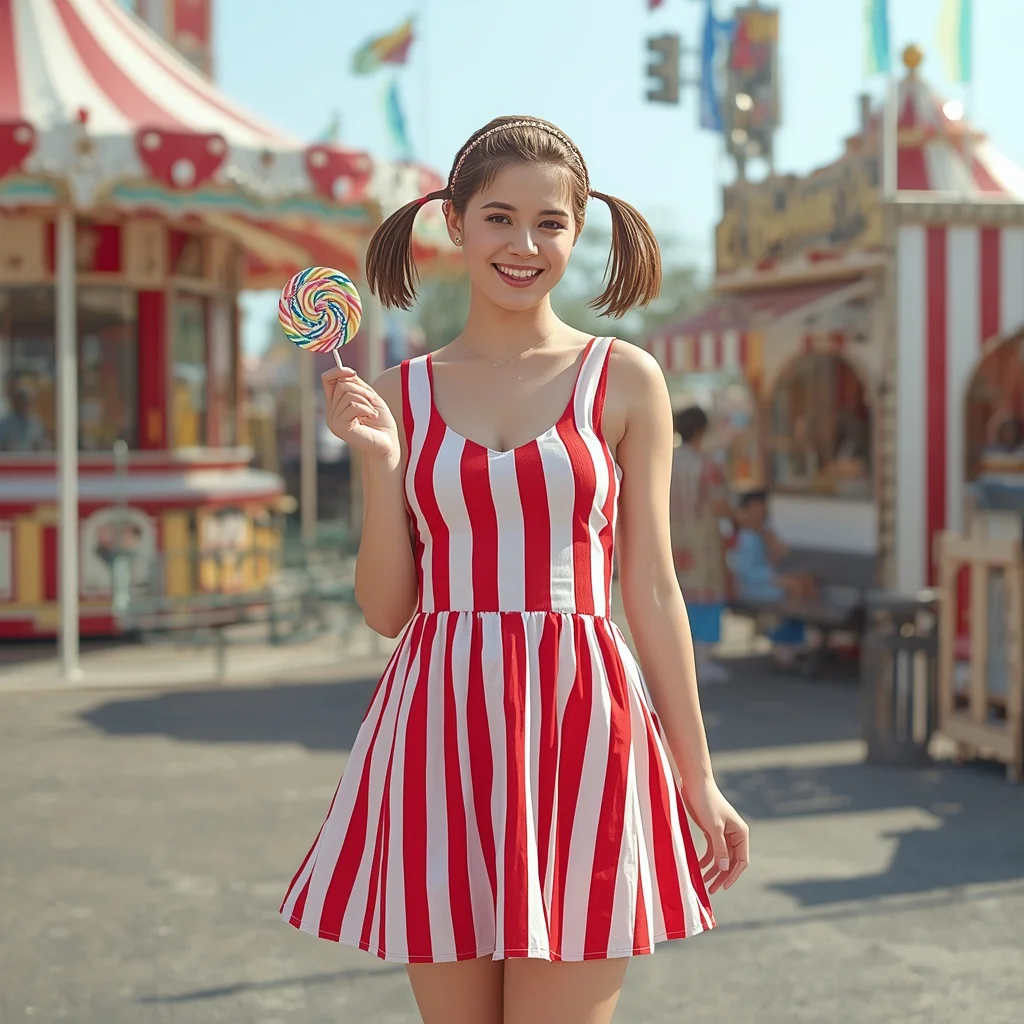
- A vibrant red and white striped mini dress with a playful A-line cut
The shared scene across these ten character prompts
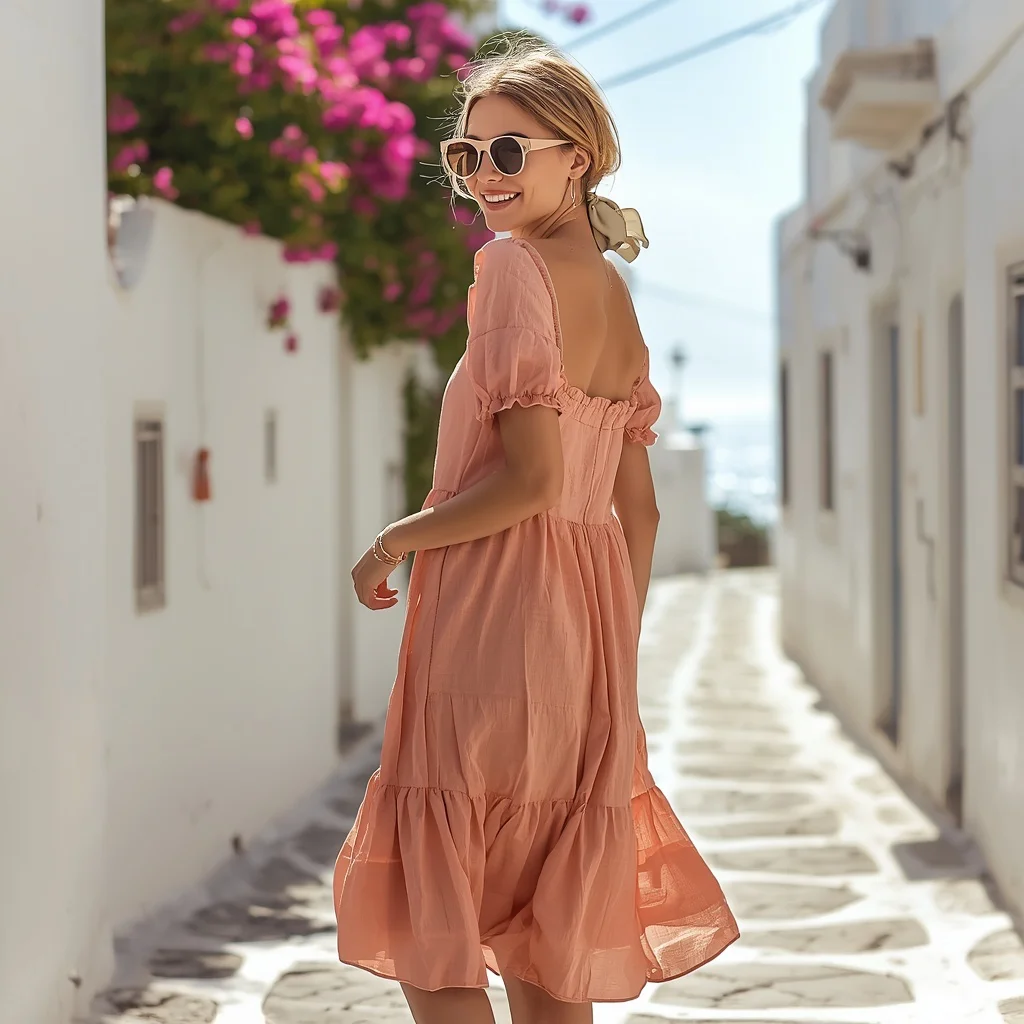
Across the collection, the woman is always the focal point, posed dynamically with a clear emotional expression. In one prompt, she stands against "a plain white background, her arms outstretched, with an expressive and confident gaze," while another places her in "a sun-dappled garden, holding a delicate bouquet, with a serene and gentle smile." The backgrounds range from a "whimsical vintage amusement park" to a "charming Mediterranean coastal town," but they consistently stay softly blurred to keep the character sharp and prominent.
Lighting plays a major role in unifying the set. You will see phrases like "bright and even, highlighting the dress's vibrant colors" and "bathed in warm, natural sunlight, creating a fresh and enchanting atmosphere." The repeated call for "4K, sharp focus" or "8K, ultra-detailed" ensures every sequin, lace motif, and fabric fold is rendered with game-asset clarity, making these prompts ideal for character select screens or narrative-driven RPGs.
Why these prompts work for game character design
These prompts are engineered to produce consistent, high-quality character portraits that can be used directly in game development pipelines. They emphasize clear silhouettes, readable facial expressions, and outfit details that convey personality and backstory at a glance. The variety of settings—from art galleries to desert festivals—gives each character a distinct world without requiring the designer to build complex environmental prompts from scratch.
- Each prompt specifies a unique dress silhouette and fabric, giving the character an instantly recognizable visual hook.
- The dynamic poses and direct gaze create a sense of agency and presence, essential for player-controlled characters.
- Consistent technical instructions like '4K, sharp focus' and 'ultra-realistic' ensure the output is game-ready with minimal post-processing.
Three visual styles that keep this prompt collection cohesive
While the collection spans multiple outfits and backdrops, three core visual styles thread through every prompt. These styles ensure that all ten outputs feel like they belong in the same game universe, even as the individual characters vary widely.
- Fashion-editorial realism: The prompts demand ultra-realistic skin, fabric, and lighting, mimicking high-end fashion photography for a polished, aspirational look.
- Soft-background portraiture: Every scene uses a blurred or plain background to keep the character in sharp focus, a technique borrowed from portrait photography.
- Expressive dynamism: Poses like 'arms outstretched,' 'walking with purpose,' and 'laughing brightly' inject motion and personality into each still frame.
How to generate a character from this collection step by step
Generating a game-ready character portrait from this collection is straightforward, but a careful workflow will give you the best results. Follow these six steps to move from prompt to polished asset, paying special attention to identity preservation and detail checks.
- Copy the full prompt. Select one of the ten prompts and copy its complete text, including all technical specifications like resolution and focus instructions.
- Upload your reference photo. If the prompt includes 'Use my uploaded photo,' attach a clear, front-facing portrait with even lighting to preserve facial features exactly.
- Paste and generate. Paste the prompt into your chosen AI image tool, attach the reference if needed, and generate the image at the highest available quality.
- Check the hands. Examine the hands closely for extra fingers, unnatural bends, or merged digits, especially in poses where arms are outstretched or holding objects.
- Check the face. Verify that the facial features match your reference photo and that the expression described in the prompt—such as a 'confident smile' or 'serene gaze'—is accurately rendered.
- Check the main dress details. Inspect the dress for correct silhouette, embroidery placement, and fabric texture as described, ensuring no pattern distortion or color bleed.
What makes a good reference photo for these character prompts
Several prompts in this collection ask you to upload a photo to preserve your identity. The quality of that reference directly impacts how well the AI can map your features onto the generated character while maintaining the described outfit and scene.
- Use a front-facing portrait with soft, even lighting and no harsh shadows on the face.
- Keep the expression neutral or slightly smiling so the AI can overlay the prompt's intended emotion, such as 'joyous, carefree expression' or 'fierce, fashion-forward expression.'
- Ensure the photo is high-resolution and sharp, with clear visibility of eyes, nose, mouth, and jawline.
AI tools for generating these dynamic character designs
Each AI image generator handles fashion detail, identity preservation, and background rendering differently. The table below compares four popular tools and notes how they perform on a real detail from this collection, such as the intricate floral embroidery on the Western-themed A-line dress.
| Tool | Access | Typical realism | Useful here for |
|---|---|---|---|
| ChatGPT | Subscription (DALL·E integration) | High, with strong prompt adherence | Rendering the delicate floral lace on the mint green lace maxi dress with accurate A-line silhouette |
| Google Gemini | Free tier available, advanced features in subscription | Very high, with nuanced fabric textures | Capturing the shimmer and pleat detail of the metallic pleated midi dress in bronze |
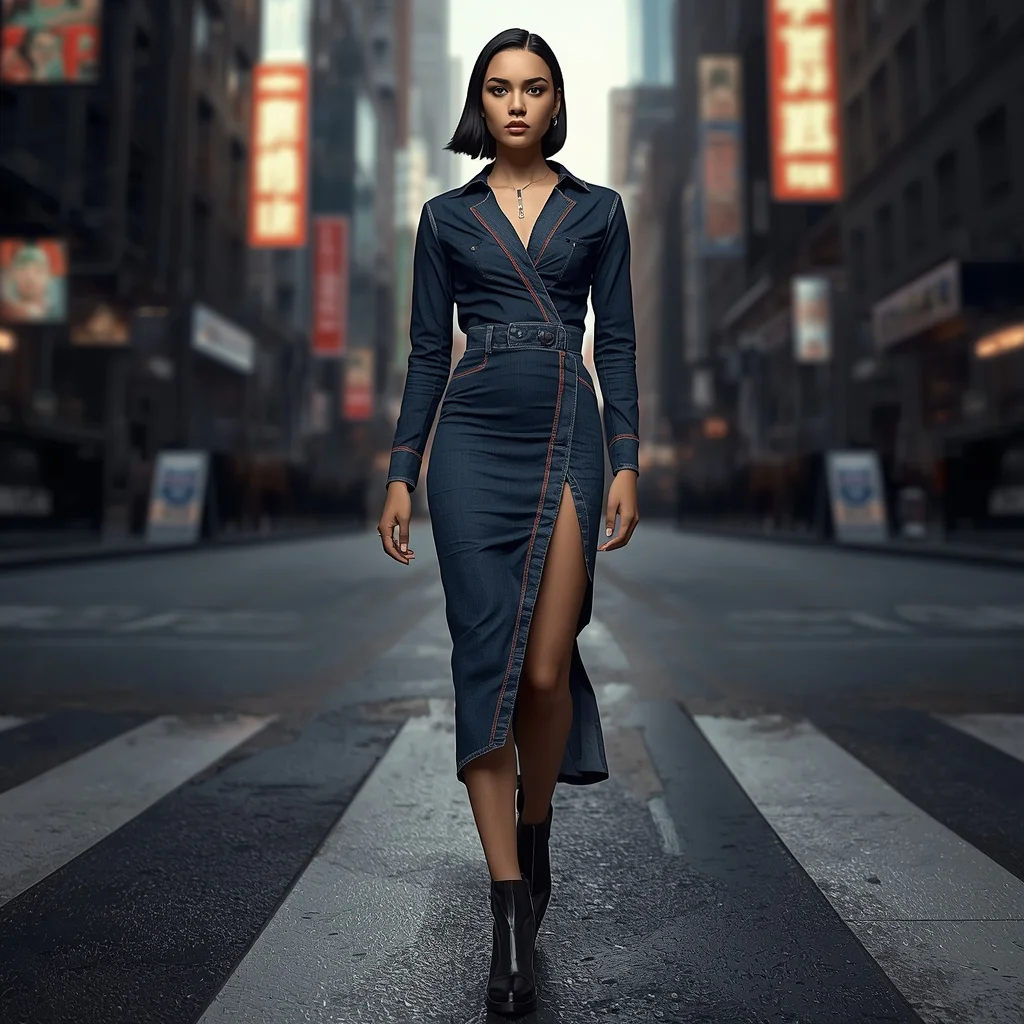
| Leonardo AI | Freemium with token system | High, excels at game-ready character art | Preserving the bold contrasting stitching on the asymmetrical denim midi-dress |
| Midjourney | Subscription only | Exceptional, with cinematic lighting | Producing the soft, natural daylight and serene expression for the rustic wedding A-line dress with floral embroidery |
Three tips for getting the best result from these prompts
Small adjustments to your workflow can dramatically improve how well the AI interprets these character prompts. Focus on the materials and objects named directly in the prompt text to guide the generation toward a cohesive, professional result.
- When the prompt calls for a 'watercolor print in a riot of bold blues, greens, and purples,' boost saturation slightly in post-processing to match the described vibrancy.
- For the 'charming white midi dress adorned with delicate floral prints in pink and green,' ensure the AI does not blur the floral pattern by using an upscaler that preserves fine textile details.
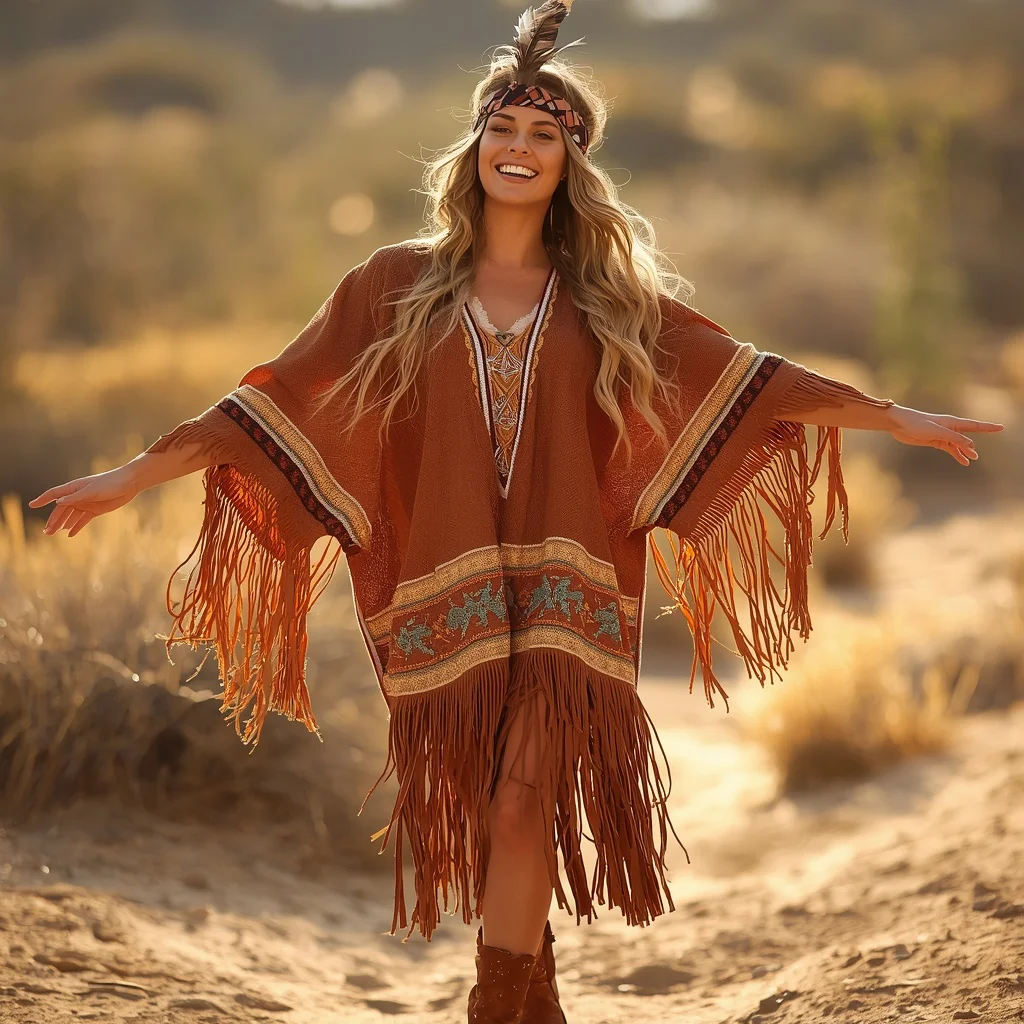
- If generating the 'Western-themed fringe poncho dress,' check that the fringe strands remain distinct and do not merge into the desert background; a slight contrast tweak can help.
Common issues when generating these character prompts and how to fix them
Even well-written prompts can produce flawed outputs. The table below lists four failures that frequently occur with this collection and the specific changes you can make to the prompt or generation settings to correct them.
| Issue | What to change |
|---|---|
| Facial features do not match the uploaded reference photo | Add 'preserve 100% of my facial features, skin tone, and face shape' at the start of the prompt and increase the image weight of the reference. |
| The dress silhouette becomes distorted or loses its A-line shape | Reinforce the silhouette description, for example change 'A-line silhouette' to 'a clear, structured A-line silhouette that holds its shape from bodice to hem.' |
| Hands appear with six fingers or unnatural twisting | Add 'perfect, anatomically correct hands with five fingers each' and reduce the stylization setting if using Midjourney. |
| The background overpowers the character and loses the soft blur | Strengthen the depth-of-field instruction by adding 'shallow depth of field, f/1.8, background completely out of focus' to the prompt. |
Frequently Asked Questions
Can I use the same uploaded photo for all ten prompts?
Yes, you can use one high-quality front-facing portrait across all ten prompts. The AI will map your features onto each described character, adjusting expression and hairstyle as directed while keeping your core identity intact.
Will the pixel-stretch effect in the olive green trench dress prompt distort my face?
No, that prompt explicitly instructs the AI to keep the subject 'perfectly sharp, crystal clear, detailed, and completely unaffected by any distortion.' Only the background and surrounding environment receive the pixel-stretch treatment.
What resolution should I expect from these prompts?
Most prompts specify 4K or 8K output, meaning you can expect images around 3840x2160 pixels or higher, suitable for game textures, character sheets, and promotional art.
Conclusion
This collection of ten dynamic character design prompts gives you a versatile toolkit for generating game-ready women's portraits. From a playful striped mini dress at a vintage amusement park to a cutting-edge asymmetrical denim midi-dress in a high-contrast cityscape, each prompt combines a distinct outfit with a compelling pose and setting. By following the step-by-step workflow, using a strong reference photo, and checking hands, face, and dress details, you can produce a cohesive set of characters that feel alive, fashionable, and ready to drop into your game project.
Once you generate your favorite portrait, remember you have the right to edit and refine that photo to perfectly match your game's art direction.