

Top 10 Ultra Realistic Photo AI Prompts for DSLR Quality Cinematic Portraits with Dramatic Backlighting
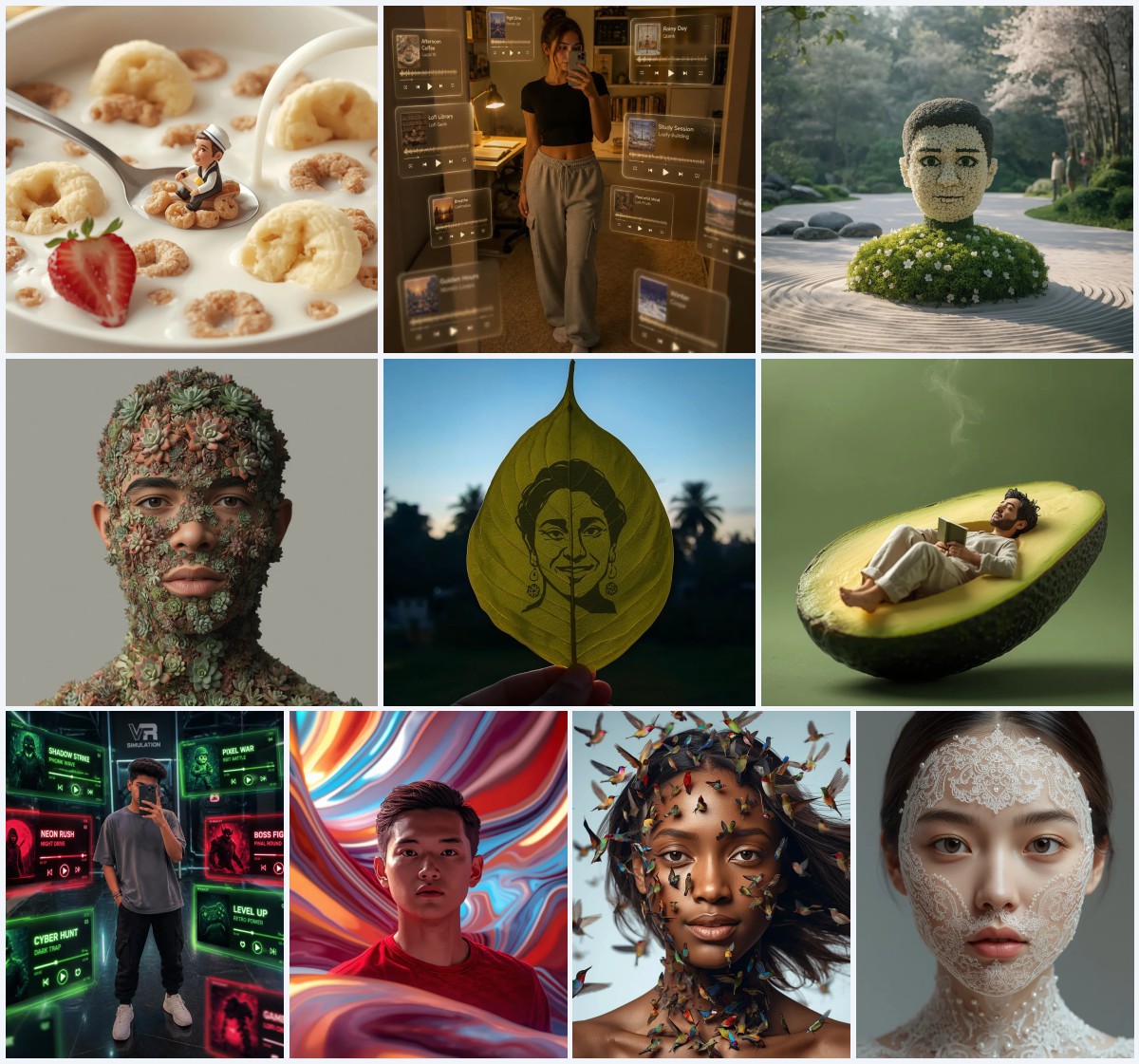
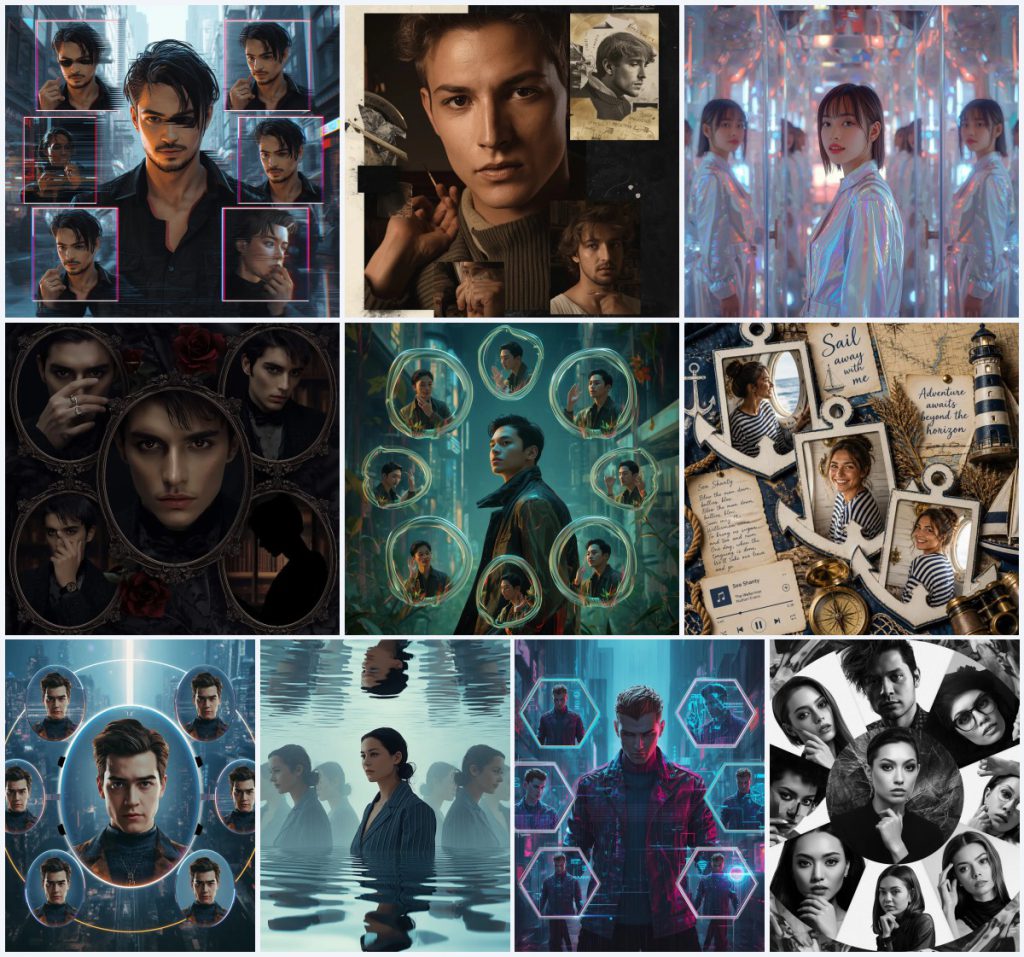
This collection brings together ten carefully crafted AI image prompts, all built around a single visual idea: ultra-realistic, DSLR-quality cinematic portraits with dramatic backlighting. Each prompt uses a reference image as the anchor, placing the subject at the center while surrounding them with imaginative, story-driven elements like glitch frames, kaleidoscopic reflections, or nautical scrapbook details. The shared goal is a gallery of striking, high-detail portraits that feel both personal and professionally shot.
Whether you lean toward cyberpunk distortion, gothic noir moodiness, or bright maritime nostalgia, these prompts give you a framework to generate cohesive, visually rich images. The dramatic backlighting ties the set together, creating depth and a cinematic glow that elevates every composition. In this article, we'll walk through how these prompts work, why they succeed, and how you can adapt them for your own creative projects.
What this cinematic portrait collection is asking for
Across all ten prompts, the request is consistent: take a reference image and build a cinematic, ultra-realistic portrait around it. The subject must remain the focal point, with face, hairstyle, outfit, and overall appearance faithfully reproduced. Around that central figure, each prompt constructs a unique visual world—glitching frames, mirrored reflections, collage elements, or holographic orbs—while dramatic backlighting adds a professional, DSLR-quality finish. The emphasis is on sharp focus, natural detail, and balanced composition.
- A prominently placed main subject matching the reference image exactly.
- Dynamic or introspective poses with expressions ranging from fierce to contemplative.
- Surrounding visual elements like fragmented frames, kaleidoscopic reflections, or collage pieces.
- Dramatic backlighting that creates cinematic depth and glow.
- Sharp focus and full natural detail for ultra-realistic texture.
- Cohesive color palettes tied to each theme, such as deep ocean blues or gothic shadows.
The visual world these prompts build
Each prompt constructs a distinct atmosphere, but they all share a cinematic backbone. In the Glitch Core Cyberpunk prompt, the scene crackles with energy: "multiple fragmented, glitching frames orbiting or surrounding him" and a "confident yet slightly distorted expression" set against a futuristic backdrop. The dramatic backlighting cuts through the digital chaos, highlighting the subject's sharp features. Similarly, the Masculine Gothic Noir prompt leans into shadow and romance, with "4–5 overlapping frames resembling antique mirrors with dark, ornate edges" and a "brooding, mysterious" mood.
Other prompts shift the tone dramatically while keeping the core structure. The Nautical Adventure Scrapbook places the subject in a bright, layered layout with "anchor-shaped photo frames" and "deep ocean blue and crisp white tones." Meanwhile, the Kaleidoscope Mirrorverse prompt creates a surreal backdrop of "multiple kaleidoscope-like reflections appearing on multifaceted glass and shimmering surfaces," all kept behind the central figure. In every case, the backlighting acts as the unifying thread, pulling the eye to the subject and giving the image a polished, editorial feel.
Why these prompts deliver standout results
These prompts excel because they combine personal identity with imaginative world-building. By starting with a reference image, they ensure the output feels uniquely yours, while the detailed scene directions push the AI to create something visually ambitious. The dramatic backlighting adds a professional sheen that mimics high-end photography, and the varied themes—from cyberpunk to nautical—offer broad creative appeal.
- The reference image anchor keeps the subject recognizable, making the result personally meaningful.
- Dramatic backlighting mimics DSLR-quality lighting, instantly elevating the cinematic feel.
- Thematic variety lets you explore different moods while maintaining a cohesive collection.
Three visual styles that shape this collection
The ten prompts pivot around three core visual styles, each lending a different flavor to the cinematic portrait concept. The cyberpunk style uses glitch effects, holographic frames, and futuristic cityscapes for an edgy, tech-driven look. The collage style layers frames, textures, and themed objects like paintbrushes or anchor shapes for a tactile, artistic feel. The mirrorverse style employs reflections, liquid surfaces, and kaleidoscopic patterns to create surreal, dreamlike compositions. All three stay within the collection's framework, never drifting into pure abstraction or losing the central subject.
- Cyberpunk: Glitch frames, neon backlighting, and digital distortion give portraits a futuristic, high-energy edge.
- Artistic Collage: Overlapping frames, textured overlays, and theme-specific props create a handcrafted, gallery-like look.
- Surreal Mirrorverse: Kaleidoscopic reflections and rippling glass add depth without overpowering the main subject.
How to generate images with this collection
Start by picking a prompt that matches your creative vision and copying its text exactly. You'll need a clear, well-lit reference photo of the person you want to feature—ideally a front-facing portrait with minimal background clutter. Upload that image to your chosen AI tool, paste the prompt, and generate. After the first result, carefully check the subject's hands, face, and any main objects for distortions, then refine as needed.
- Copy the prompt. Select one of the ten prompts and copy the full text without alterations.
- Prepare a reference photo. Choose a high-resolution image with clear facial features and consistent lighting.
- Upload to the AI tool. Use the tool's image upload feature to attach your reference photo.
- Generate the image. Paste the prompt and run the generation, keeping settings on high quality.
- Check the subject's face. Zoom in to ensure the face matches the reference and looks natural.
- Inspect hands and main objects. Look for extra fingers, warped props, or blending errors and regenerate if needed.
Choosing the right reference photo
The reference photo is the foundation of every image in this collection. A strong reference ensures the AI can accurately reproduce the subject's appearance, from facial structure to clothing details. Without a good starting image, even the best prompt will struggle to deliver a convincing result.
- Use a front-facing or slightly angled portrait with even, diffused lighting to avoid harsh shadows.
- Make sure the outfit, hairstyle, and accessories in the photo match what you want in the final image.
- Avoid busy backgrounds; a plain wall or simple backdrop helps the AI focus on the subject.
AI tools for generating these cinematic portraits
Several AI image generators can handle these prompts, each with different strengths in realism and creative control. The table below compares four popular tools based on how well they execute the collection's demands for ultra-realistic detail and dramatic backlighting.
| Tool | Access | Typical realism | Useful here for |
|---|---|---|---|
| ChatGPT | Subscription | High, with good prompt adherence | Rendering the glitch core cyberpunk's fragmented frames with sharp focus |
| Google Gemini | Free tier available | Moderate to high, varies by model | Handling the nautical adventure scrapbook's anchor-shaped frames and bright tones |
| Leonardo AI | Freemium | Very high, cinematic output | Producing the masculine gothic noir's moody shadows and antique mirror edges |
| Midjourney | Subscription | Exceptional, often DSLR-like | Creating the kaleidoscope mirrorverse's shimmering reflections and backlighting |
Three tips for better results with these prompts
Small adjustments can make a big difference when working with this collection. Focus on preserving the details that matter most, and don't be afraid to iterate.
- If the gothic noir prompt loses the vintage ring detail, add a short phrase like 'silver ring with intricate engraving' to the prompt.
- For the nautical scrapbook, ensure the striped sailor shirt reads clearly by using a reference photo with high contrast between the stripes and the fabric.
- When generating the techno-organic cyberpunk prompt, watch for the fluid frames merging awkwardly; try regenerating with a slightly lower style weight if available.
Common issues and fixes for these prompts
Even well-crafted prompts can produce flawed results. The table below addresses four problems you might encounter with this collection and how to correct them.
| Issue | What to change |
|---|---|
| Subject's face doesn't match the reference | Re-upload a clearer reference photo with better lighting and a neutral expression. |
| Glitch frames overlap the main subject | Add 'keep all frames strictly in the background' to the prompt. |
| Collage elements appear cluttered or random | Reduce the number of frames by specifying 'use only 3–4 overlapping frames' in the prompt. |
| Backlighting washes out facial details | Adjust the prompt to include 'balanced exposure on the face with rim lighting only.' |
Frequently Asked Questions
Can I use these prompts without a reference image?
These prompts are designed around a reference image to keep the subject consistent. Without one, the AI will invent a face, which may not match your vision. For best results, always upload a photo.
Which prompt works best for a dark, moody portrait?
The Masculine Gothic Noir prompt is ideal for moody shadows and dark romance, with its antique mirror frames and brooding expressions. The dramatic backlighting adds depth without brightening the overall tone.
How do I get the backlighting to look natural?
Use a reference photo with a clear light source from behind or to the side. In the prompt, phrases like 'dramatic backlighting' and 'cinematic glow' guide the AI, but the reference helps anchor the effect.
Conclusion
This collection of ten ultra-realistic cinematic portrait prompts offers a versatile toolkit for anyone wanting to create stunning, personalized AI images. By combining a reference image with imaginative themes and dramatic backlighting, each prompt produces results that feel both professional and deeply expressive. Whether you're drawn to the glitchy energy of cyberpunk, the textured layers of a collage, or the surreal beauty of a mirrorverse, there's a starting point here for your next project. Experiment with the tips and tools we've covered, and you'll soon have a gallery of DSLR-quality portraits that stand out.
Remember to only edit and generate images using a photo you have the legal right to modify.