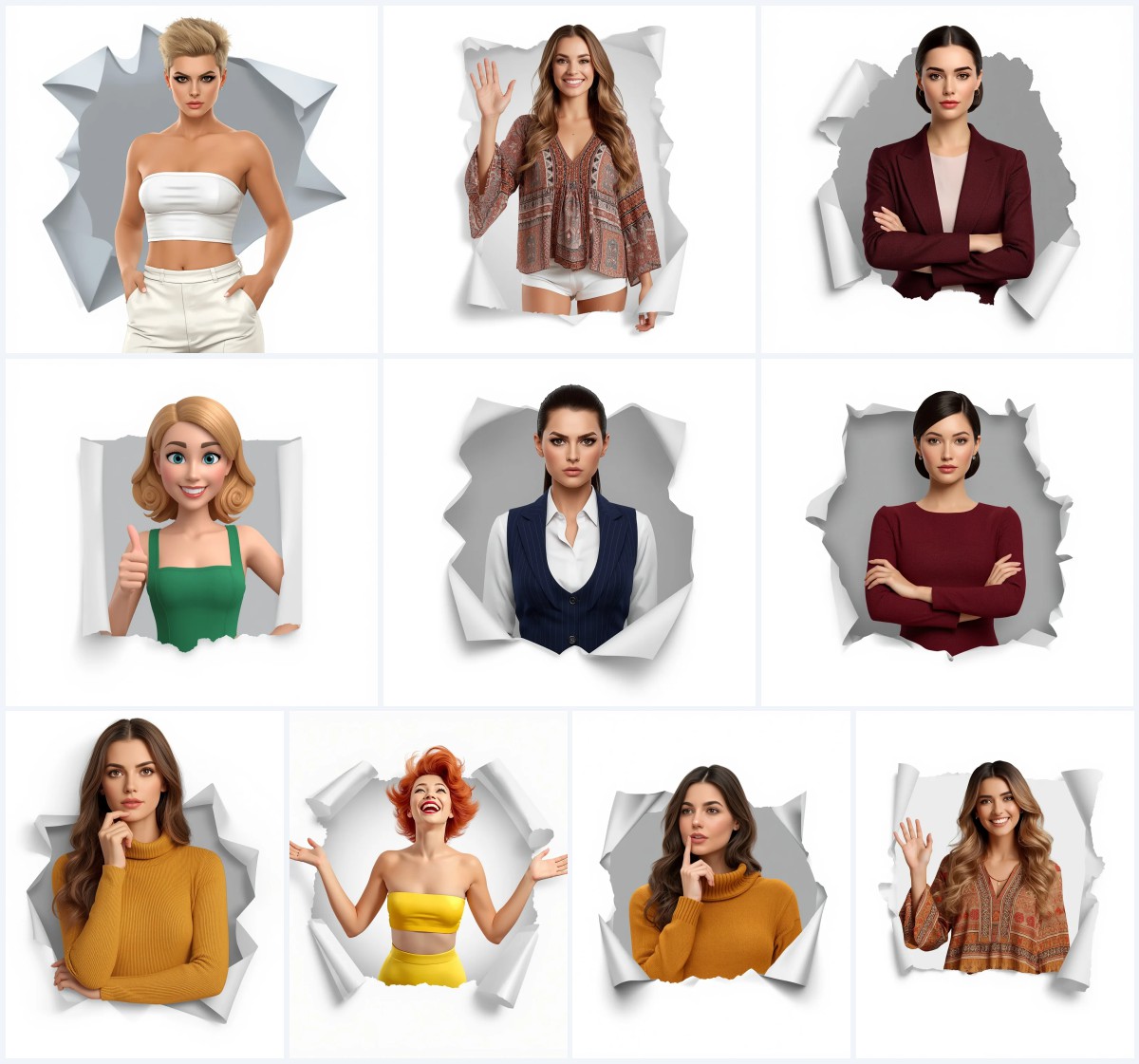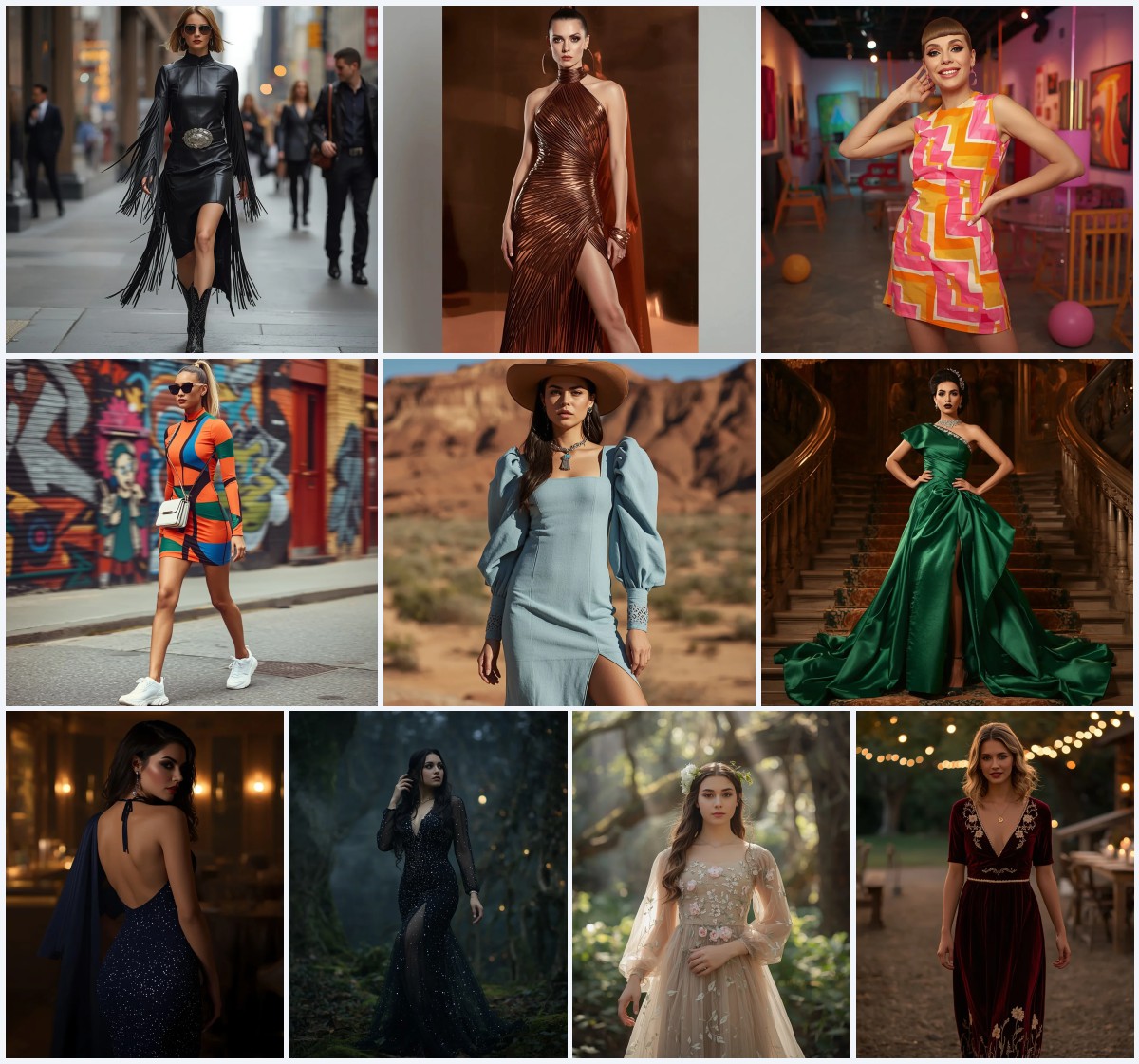


Top 10 AI Prompts for Women’s 3D Animated Short Film Stills
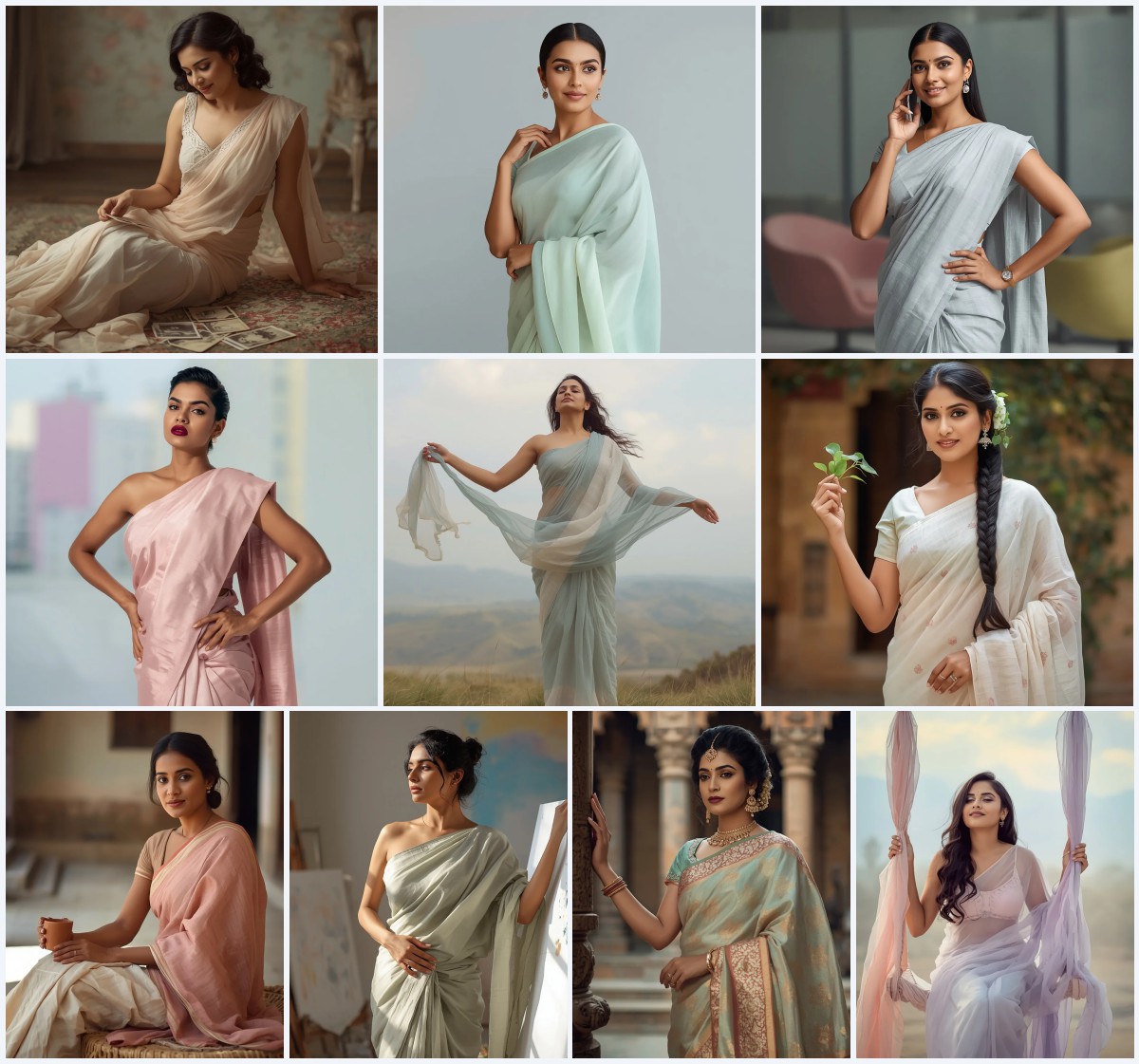
Animated short films live and breathe through their stills—those frozen moments that capture a character's emotion, a costume's texture, and a world's atmosphere in a single frame. This collection of ten AI image prompts channels that cinematic energy, translating the grace and detail of 3D animated heroines into vivid, photograph-like renders you can generate with today's top AI tools.
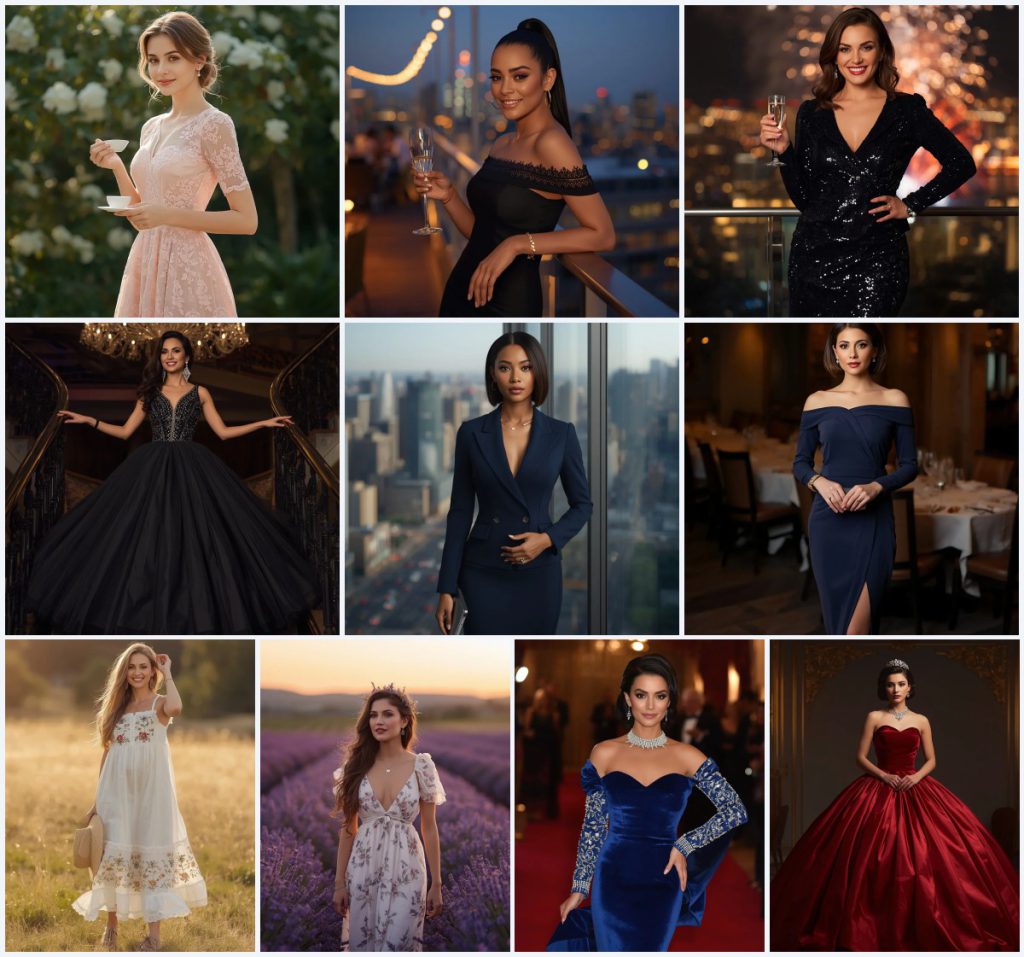
Each prompt spotlights a distinct Western outfit and setting, from a blush pink lace midi dress in a sun-dappled garden to a red velvet strapless ball gown under opulent ballroom spotlights. Whether you are building a mood board, testing character design ideas, or simply chasing that dreamy animated-film look, these prompts give you a full wardrobe of starting points to explore.
What this animated short film still collection is asking for
Across all ten prompts, the core request is a hyper-detailed, 8K portrait of a woman dressed in elegant Western fashion, posed within a carefully lit environment that feels lifted from a 3D animated short film. The camera stays close to the character, emphasizing fabric texture, facial expression, and the interplay of natural or cinematic light with the surroundings. You will find recurring cues like “ultra-detailed,” “soft lighting,” and “cinematic lighting,” which steer the AI toward a polished, animation-studio look rather than a raw snapshot.
- A woman as the sole subject, posed gracefully with a serene or confident expression
- A specific Western dress described by fabric, silhouette, and embellishment, such as blush pink lace, black sequins, or royal blue velvet
- A defined setting like a sun-dappled garden, a rooftop terrace at dusk, or a dimly lit ballroom
- Accessories that anchor the look, including pearl earrings, a champagne flute, a diamond tiara, or a straw hat
- Lighting cues that shape the mood, from warm natural sunlight and soft focus to high-contrast cinematic spotlights
- A request for 8K resolution and ultra-detailed rendering to mimic the crispness of a film still
The visual world these prompts build together
The ten prompts share a common thread: each places a woman in a moment of quiet poise, as if the camera caught her mid-scene in an animated feature. In the blush pink lace midi dress prompt, the scene unfolds in “a sun-dappled garden, holding a delicate teacup, with a serene and gentle smile,” while the black tulle ball gown image shifts to “a grand staircase, her arms gently extended, with a confident and radiant smile.” These are not action shots—they are character beats designed to showcase fabric movement, facial warmth, and environmental harmony.
Several prompts explicitly request that the generated image use an uploaded reference photo to preserve “100% of my facial features, skin tone, hairstyle, expression, body proportions, and overall appearance.” In those cases, the scene becomes a personal cameo: the reader stands in a “sleek, modern high-rise office” holding a tablet, or gazes across “a breathtaking lavender field at sunset” wearing a white floral maxi dress. The consistent instruction to blur backgrounds—whether “a soft blur of lush greenery and blooming white flowers” or “a vibrant, blurred cityscape at midnight”—keeps the focus locked on the character while still suggesting a rich, animated world just out of focus.
Why these prompts work for animated short film stills
These prompts succeed because they combine costume detail, environmental storytelling, and lighting precision—the three pillars of a compelling animated film still. By naming specific fabrics like tulle, velvet, sequins, and linen, they give the AI clear texture targets that read beautifully in high resolution. The poses are restrained and elegant, avoiding awkward hand placements that often trip up generators, while the settings provide enough context to sell the story without distracting from the subject.
- Fabric and embellishment details—lace, sequins, crystal beading—create the tactile richness expected in 3D animated renders
- Controlled lighting descriptions, such as “warm, natural sunlight” or “cinematic lighting, high contrast,” define the emotional tone and depth of each still
- Consistent framing with a single subject and blurred background mimics the shallow depth of field used in animated film close-ups
Three visual styles embedded in this collection
Although the prompts span different outfits and locations, three distinct visual styles emerge from the language used across the set. Each style is already present inside the prompts and can be emphasized by adjusting the surrounding description or model parameters.
- Soft Romantic Realism: Seen in the blush pink lace midi dress and the lavender field maxi dress, this style leans on diffused natural light, pastel or floral tones, and gentle expressions to create a dreamy, hand-drawn animation feel.
- Glamorous Cinematic Drama: The black sequin midi dress, royal blue velvet gown, and red velvet ball gown prompts use high-contrast lighting, jewel tones, and reflective surfaces to evoke a grand, film-noir-inspired animation aesthetic.
- Contemporary Polished Editorial: The power suit dress and the off-shoulder navy midi dress prompts adopt clean lines, modern architecture, and minimalist accessories, producing a sleek, 3D-rendered editorial look suited for a fashion-focused short film.
How to generate these animated stills step by step
Turning these text descriptions into images that look like 3D animated film stills requires a careful workflow that respects both the prompt and the quirks of AI image generators. Following a structured sequence helps you catch common rendering issues early and preserve the cinematic quality the prompts are designed to deliver.
- Copy the full prompt. Select one prompt from the collection and copy its entire text exactly, preserving every fabric, lighting, and pose detail.
- Upload a reference photo if instructed. For prompts that begin with “Use my uploaded photo,” attach a clear, well-lit portrait where your face and shoulders are visible, and ensure the AI tool supports identity preservation.
- Set the aspect ratio and style parameters. Choose a vertical or 3:4 aspect ratio to mimic a film still, and enable any “cinematic,” “photorealistic,” or “8K” presets your tool offers.
- Generate the initial image. Run the prompt and review the output for overall composition, lighting accuracy, and how well the dress matches the description.
- Check hands, face, and the main object. Zoom in on the hands—especially if they are holding a teacup, champagne flute, or clutch—and verify that facial features are symmetrical and the dress embellishments look coherent.
- Refine with inpainting or slight prompt tweaks. If hands or fabric details look distorted, use inpainting on those areas or add clarifying terms like “perfect hands” or “symmetrical lace pattern” and regenerate.
What to prepare in your reference photo
Several prompts in this collection explicitly ask you to upload a reference photo so the AI can preserve your identity. Getting that reference right makes the difference between a believable animated cameo and an uncanny mismatch.
- Use a front-facing or slightly angled portrait with even, soft lighting that shows your full face, neck, and shoulders without harsh shadows.
- Keep your hairstyle close to the prompt’s description—if the prompt calls for a sleek bob or soft romantic waves, style your hair similarly in the reference to help the AI blend it naturally.
- Wear minimal jewelry and neutral clothing in the reference photo so the AI can freely add the dress, earrings, and accessories described in the prompt without visual conflict.
AI tools suited for these animated film still prompts
Different AI image generators handle fabric textures, cinematic lighting, and identity preservation with varying degrees of success. The table below compares four widely used tools and notes how each one can serve the specific details found in this collection, such as the sequined midi dress or the lavender field backdrop.
| Tool | Access | Typical realism | Useful here for |
|---|---|---|---|
| ChatGPT | Subscription (DALL·E integration) | High, with strong prompt adherence | Rendering the intricate floral lace on the blush pink midi dress and the soft garden blur accurately |
| Google Gemini | Free and paid tiers (Imagen integration) | Very high, excellent at photorealistic textures | Capturing the shimmer of the black sequin midi dress against the blurred city lights and fireworks |
| Leonardo AI | Freemium with token system | High, especially with cinematic models | Nailing the voluminous tulle layers and crystal embellishments of the black ball gown on the grand staircase |
| Midjourney | Subscription via Discord | Exceptional, with rich lighting and atmosphere | Producing the warm sunset glow and lavender field depth for the white floral maxi dress prompt |
Three tips to get the most from these prompts
Small adjustments to how you run these prompts can dramatically improve the final image. The tips below focus on real materials and objects named in the collection, helping you preserve the animated-film look without drifting into generic outputs.
- When generating the black sequin midi dress, add a negative prompt for “flat sequins” or “plastic texture” to ensure the AI renders the sequin embellishment with metallic depth and individual light reflections.
- For the royal blue velvet gown, emphasize “rich velvet texture with soft directional shadows” in an extra style note so the fabric reads as plush and three-dimensional rather than flat matte blue.
- If the straw hat in the embroidered A-line sundress prompt looks misshapen, inpaint that area with a focused prompt like “woman holding a finely woven straw hat with a neat brim” to correct the silhouette.
Common issues and quick fixes for these prompts
Even well-crafted prompts can produce flawed images, especially when they involve hands holding objects, complex fabrics, or strong lighting contrasts. The table below lists four failures these prompts can actually have and what to change in your workflow.
| Issue | What to change |
|---|---|
| The champagne flute looks fused with the fingers or missing the stem | Add “clearly separated fingers holding a slender champagne flute with a visible stem” and use inpainting on the hand area |
| The lace pattern on the blush pink midi dress appears as a blurry texture rather than distinct floral motifs | Increase the weight of “delicate floral lace” in the prompt and append “intricate, individually visible lace flowers” |
| The diamond tiara in the red velvet ball gown prompt sits awkwardly or cuts into the hair | Rephrase the accessory line as “a diamond tiara resting lightly on a polished chignon” and reduce the prompt’s overall accessory density |
| The sunset sky in the lavender field prompt overexposes and washes out the purple rows | Lower the prompt’s emphasis on “breathtaking sunset” and add “balanced exposure, rich lavender color retained” to preserve the field’s vibrancy |
Frequently Asked Questions
Can I mix elements from two different prompts, like the blush pink lace dress and the rooftop terrace setting?
Yes, you can combine elements, but do it carefully. Take the dress description from one prompt and the background and lighting cues from another, then test the merged prompt. You may need to adjust the lighting language so it fits the new environment—soft garden light will clash with a nighttime rooftop scene unless you rewrite it as warm ambient terrace lighting.
Do I need to use the exact 8K and ultra-detailed tags for an animated look?
Those tags signal the AI to prioritize sharpness and fine detail, which helps mimic the crisp, rendered quality of a 3D animated film still. If you skip them, the image may look softer or more painterly. Keep them in unless you intentionally want a looser, sketch-like style.
Why do some prompts ask for my uploaded photo while others do not?
Prompts that include “Use my uploaded photo” are designed for personalization, letting you star in the animated-style image. The other prompts are character-agnostic and will generate a unique face based on the AI’s training data. Choose the type that fits your goal—personal cameo or original character design.
Conclusion
This collection of ten AI prompts for women’s 3D animated short film stills offers a versatile palette of Western fashion, atmospheric settings, and cinematic lighting that can elevate your generated images from simple portraits to storytelling frames. By paying close attention to fabric details, hand poses, and reference photo quality, you can produce stills that feel pulled straight from an animated feature. Experiment with the different dresses and environments, lean on the troubleshooting tips when details go awry, and let the prompts guide you toward that polished, studio-quality look.
Remember to work only with a photo you have the right to edit, and enjoy shaping these animated-style stills into your own creative vision.